design fashion with ai and see it in 3d, for free
The short answer
Yes, you can. In MadeApt you sketch a garment with AI, from a sentence or a picture, then see that sketch as a 3D model you can spin around, all in a browser. Sketching is free, and your first few 3D models each month come out of the free credits you already get. If you love what you see, the same design goes to a real tailor and is made to your measurements.
Already have a picture? Start from it
A screenshot, a hand sketch or an image you made somewhere else. The studio redraws it as a cleaner, buildable version in your fabric, and from there it is one tap to 3D.
No payment now. A tailor reviews the image, you get a quote, then you decide. Or describe it in the studio instead.
Who this is for
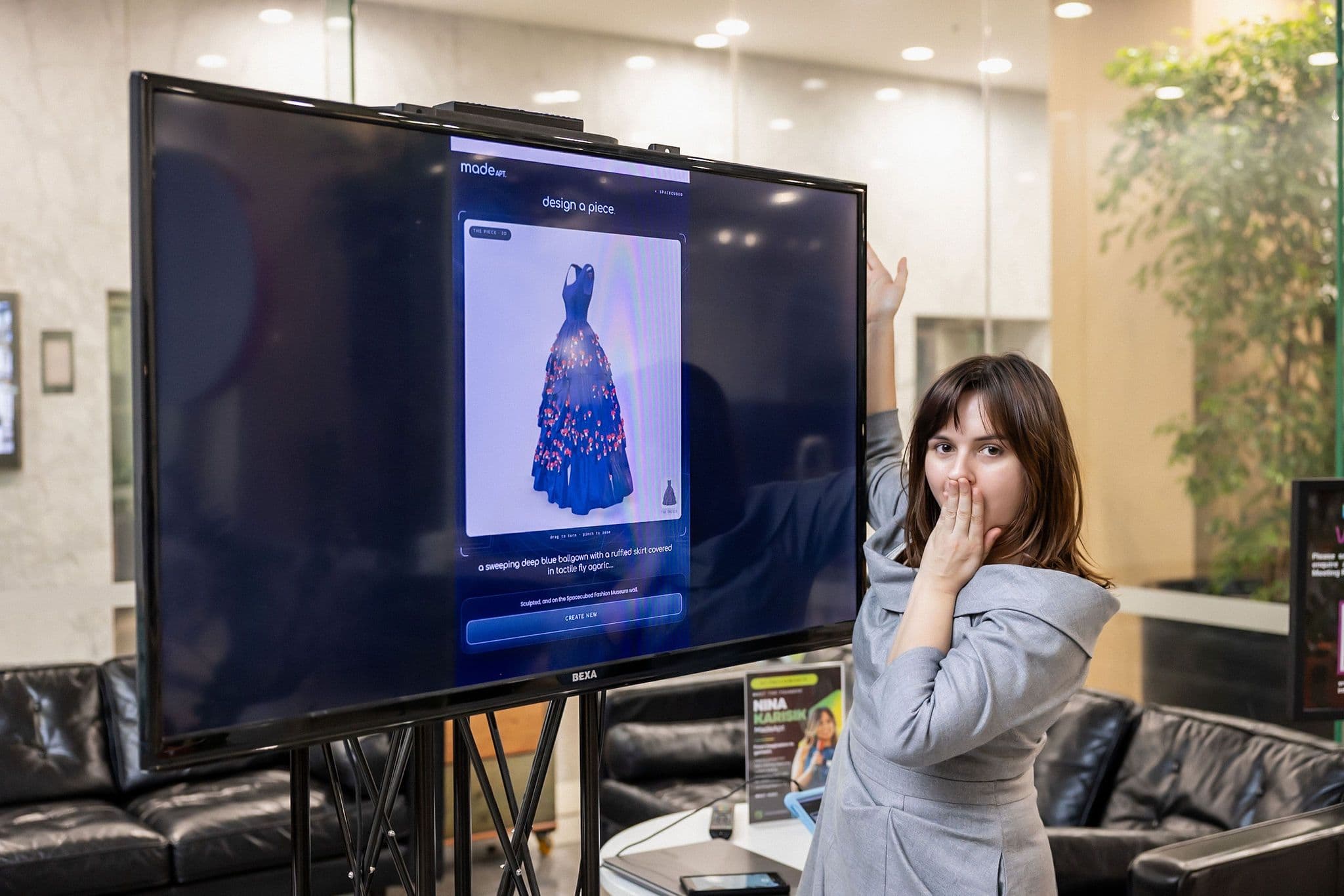
This is for the aspiring designer who fills notebooks with dresses, and for anyone who loves fashion and has a very specific outfit in her head that doesn’t exist yet. You don’t need a label, a budget or a plan. You need an idea and ten minutes.
You don’t need design software, pattern-making skills or a 3D background either. You need a sentence, or a picture, and MadeApt does the rest.
What “designing with AI” actually means for fashion
Designing with AI means sketching a garment in words, or handing over a reference picture, and letting MadeApt draw it. The AI is a fast illustrator, not a tailor: it gives you a convincing sketch of a dress, not a pattern or a fit. The tailor comes later.
There are three ways in, and most people use a mix:
- Sketch from a sentence. Write what you want (“midi slip dress, bias cut, emerald satin, cowl neck, thin straps”) and get a sketch in seconds.
- Edit the sketch. Change one thing at a time: lengthen the hem, swap the sleeve, change the fabric. You edit the sketch you have instead of starting again.
- Sketch from a picture. Upload a photo, a screenshot, a hand drawing or an image you made elsewhere and MadeApt turns it into a cleaner, more realistic version in your fabric and colour. Our guide to getting a dress made from a picture goes deeper on that route.
A flat sketch still hides the back, the side seams, how the skirt falls when the body turns and whether the proportions survive once the garment has depth. That is why MadeApt lets you take the sketch straight into 3D.
How to go from an idea to a 3D model in four steps
The whole loop takes under ten minutes the first time. You stay in the browser and nothing needs installing.
Sketch it in MadeApt
Open the MadeApt design studio and either type a description or upload a picture. Keep the first prompt simple: silhouette, length, fabric, neckline, one standout detail. Add colour last, because it is the easiest thing to change. Your first 2 designs need no account.
Edit, don’t start over
When the sketch is close, edit it. “Make the sleeves bishop sleeves” keeps everything else as it was. Regenerating from scratch throws away the parts you liked.
See it in 3D
Save the design, sign in, and choose “See it in 3D” on its page. MadeApt sculpts a 3D model from the sketch that you can rotate, zoom and view from behind. The front is the most accurate; the back is the model’s best guess from a single image until a tailor reads the design. A model costs 3 Studio Credits, and your first 5 a month come out of the free credits you already get.
Share it, or send it on
Every saved design has its own page. Keep it private, publish it to the community, or send the link to a friend or a tailor. From the same page you can request a quote, book a design consult or have it made to your measurements.
Prompt tips that make a real difference:
- Name the fabric and its weight (“heavy crepe”, “lightweight chiffon”). Drape depends on it, and so will the 3D model.
- Say how it closes (“invisible side zip”, “button front”). It stops the AI inventing seams that can’t exist.
- Give one reference era or designer vibe, not three. Mixed references blur.
- If you already have a picture, a hand sketch or an image you made somewhere else, upload it rather than describing it. MadeApt’s redraw will usually get closer than a fresh prompt. The same goes for a dress ChatGPT drew for you.
Why seeing a design in 3D changes what you order
A 3D model answers the questions a flat sketch lets you skip. Nearly every change people make after seeing their design in 3D is about proportion, not style, and proportion is exactly what a front-on sketch hides.
- The back. Half of a dress is the half you never see in an AI image. Is it open? Is there a zip? Where does the waist seam sit? The model is built from one front-on image, so treat its back as a first proposal, not a fact.
- Length in context. A midi hem on a flat image is a line. In 3D you see where it lands relative to the knee and the calf, and whether it looks like a midi or an awkward in-between.
- Volume. Skirts, sleeves and ruffles look bigger or smaller once they have depth. The 3D model shows how much fabric that puff sleeve actually is.
- Fabric behaviour. Satin, crepe and tulle sit differently on the body. The model gives you a first read on drape before a tailor confirms it.
- Fewer surprises. The expensive part of custom clothing is the change you ask for after it’s cut. Seeing the shape first moves those changes to before you pay.
It’s still a model, not a fitting. Treat it as a very good sketch with a back view, and let the tailor’s review be the final word on construction.
Why do it in MadeApt
Because it’s the one place where the sketch, the 3D view and the making are the same object. You don’t need to learn a 3D program to see your dress from the back, and you don’t need to explain a screenshot to a tailor.
- Sketching is free. Your first 2 designs need no account; signed in, you get 30 free Studio Credits a month, one per design. A 3D model is 3 credits, and your first 5 models a month come out of those free credits. You only spend money if you decide to have something made.
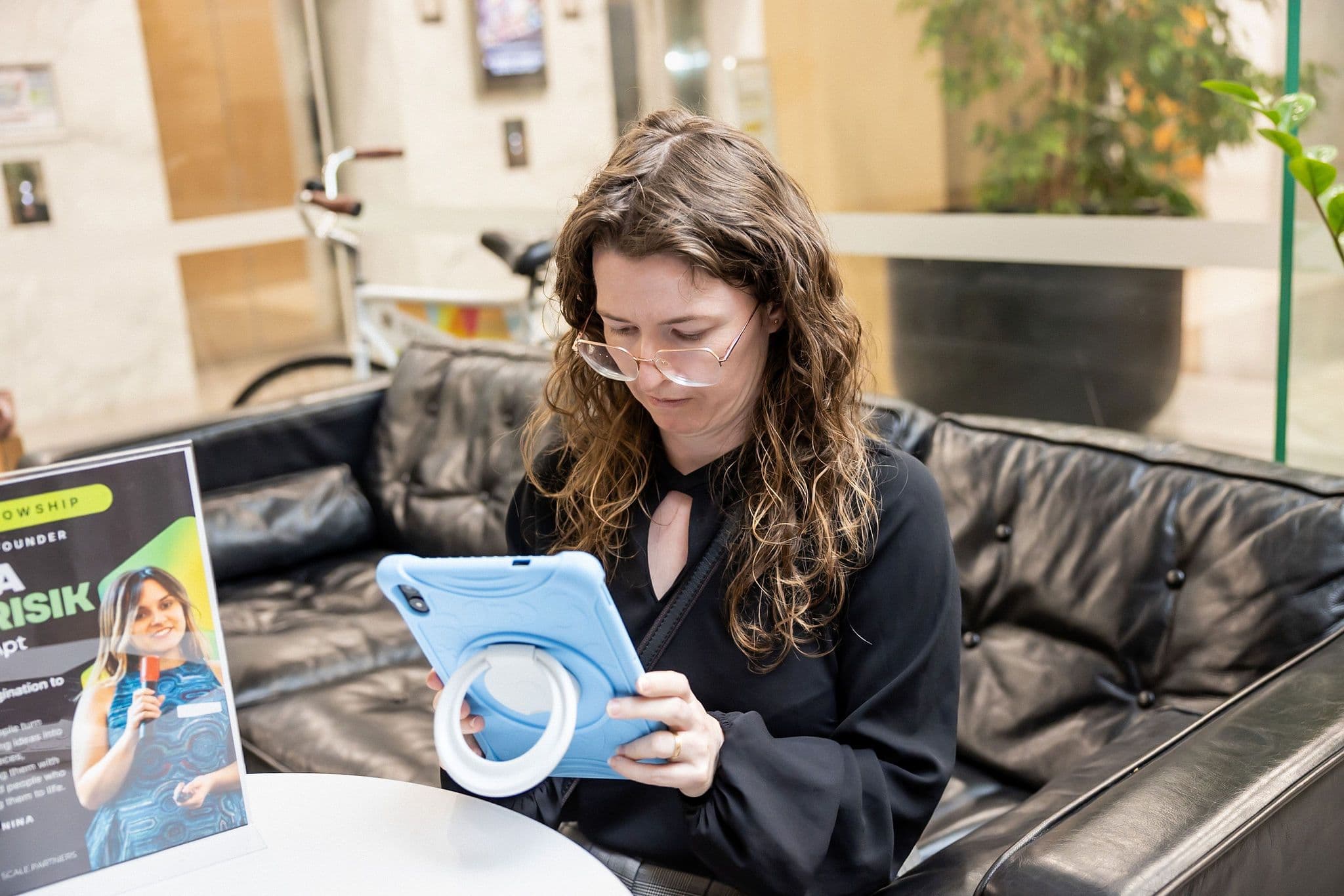
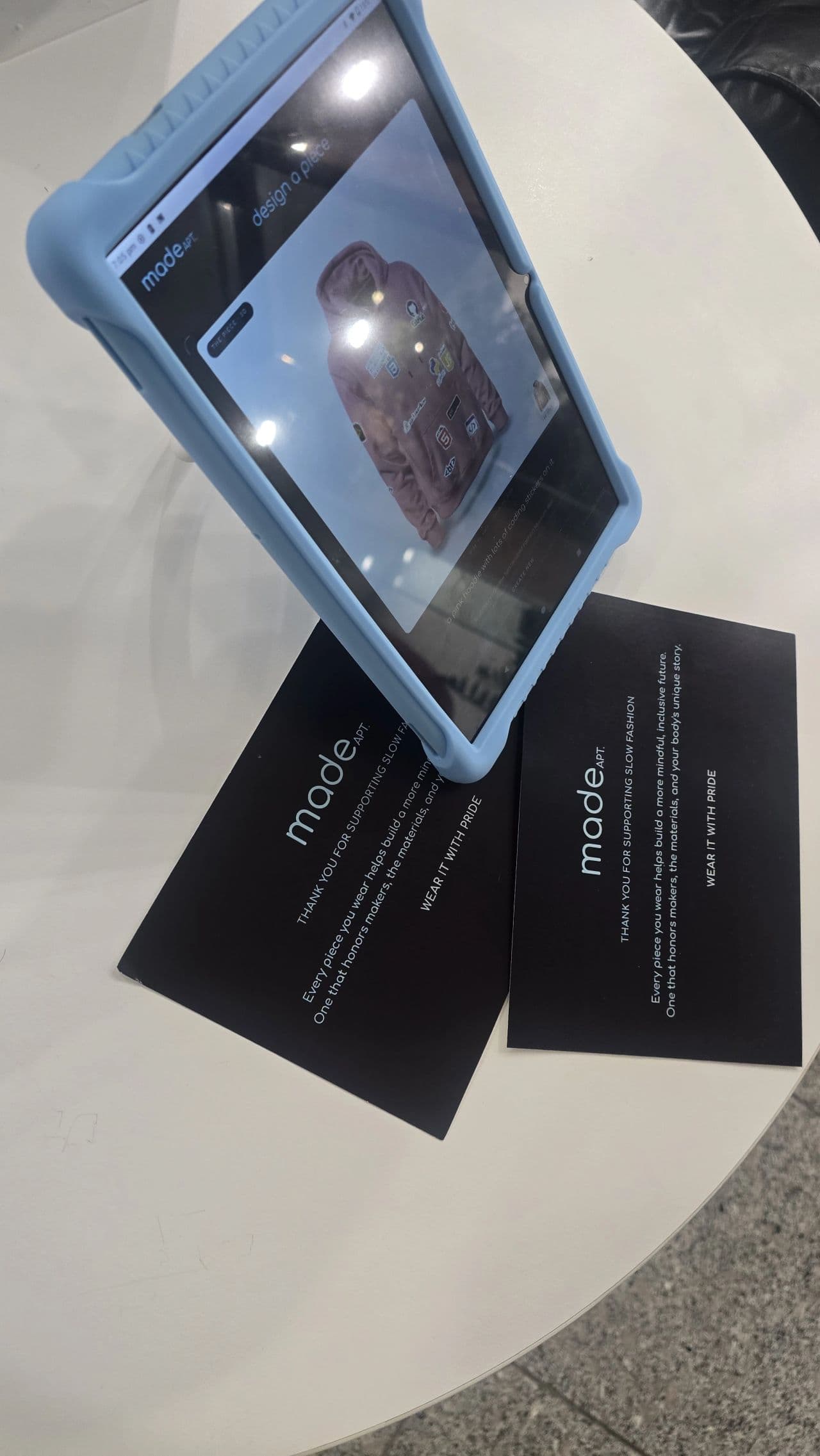
- No software, no experience. It runs in the browser, on your phone or laptop, and the studio works well on a touchscreen. The photos on this page are a tablet in a coworking lobby.
- It’s a portfolio. Every saved design has its own page. Keep it private, publish it to the community when you’re proud of it, and build a body of work you can show instead of a folder of screenshots.
- It’s buildable. Every sketch is drawn with making in mind, and a tailor reviews it before anything is cut.
- It can become real. Vetted tailors in Perth, Sarajevo, Jaipur, Hanoi and Hoi An make it to your measurements. Pieces from the Spacecubed studio are turning on the design clothes in 3D page right now.
From a 3D model to a dress you can wear
A 3D model is the end of the free part and the start of the useful part. Once you like what you see, MadeApt turns the design into a garment the same way a studio would, with a few checks in between so nothing is lost in translation.
- Tailor review. A tailor looks at the design before anything is cut and flags what won’t work as drawn: a neckline that needs a facing, a skirt that needs more fabric than the picture suggests. Most designs get one or two small notes.
- Tech pack. The design, fabric, measurements and construction notes are written up into a tech pack, the document tailors actually sew from. You don’t need to make this yourself; our guide on AI design to tech pack shows what goes in it.
- Measurements. You measure at home with a guided flow, or send measurements you already have. Extra fabric is left in the seams so the piece can be let out later.
- Making. Approximately 4 weeks including shipping for most orders, confirmed when we quote.
What the price covers:
- Made to your measurements, not a size chart.
- Changes to the neckline, sleeves, length and fabric, agreed before anything is cut.
- If something is our fault, we fix it: alteration first, a remake if needed, a refund if neither works.
- Delivery to the US is included in the price.
The detail is in our returns and remakes policy.
If you’d rather talk it through first, a 35-minute design consult with a working designer costs US$45 (A$60) and can cover anything from a rough sketch to starting a small label; the consult guide explains what you leave with. You can also send your own fabric.
Frequently asked questions
Related guides
design clothes in 3D
The pieces from the Spacecubed studio, turning. Describe it, shape the image, see it in 3D, have it made.
how to design a dress with AI and actually have it made
The six-step version: a garment, not a mood; one variable at a time; try it on; the human feasibility check.
get a dress made from a picture
A screenshot, a Pinterest save or a photo of a dress you lost. How the redraw works and what a tailor needs.
a free AI dress design tool, honestly described
What the free credits cover, what they don’t, and why the render is the start of a commission, not the end.
Sketch the dress that’s been living in your head.
Open the MadeApt design studio, describe it or upload it, and spin it around in 3D. It’s free to sketch, and nobody needs to know how many versions it took. If you want a second opinion, a designer will give you one.